New in Nagarik alert
Introducing Vehicle QR
Your Smart Digital Vehicle ID
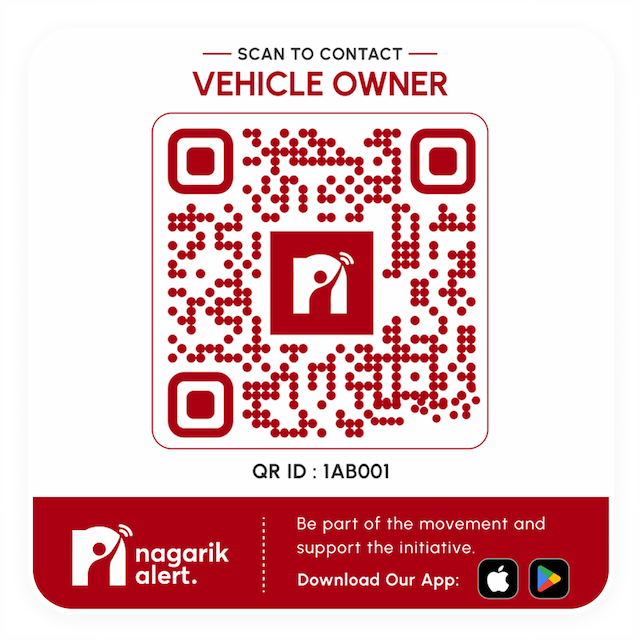
Instead of displaying your personal phone number on your vehicle, generate a free Vehicle QR that lets people contact you only when it's truly needed.
New in Nagarik alert
Introducing Vehicle QR
Your Smart Digital Vehicle ID
Instead of displaying your personal phone number on your vehicle, generate a free Vehicle QR that lets people contact you only when it's truly needed.
THE PROBLEM
Think Before You Stick Your Phone Number
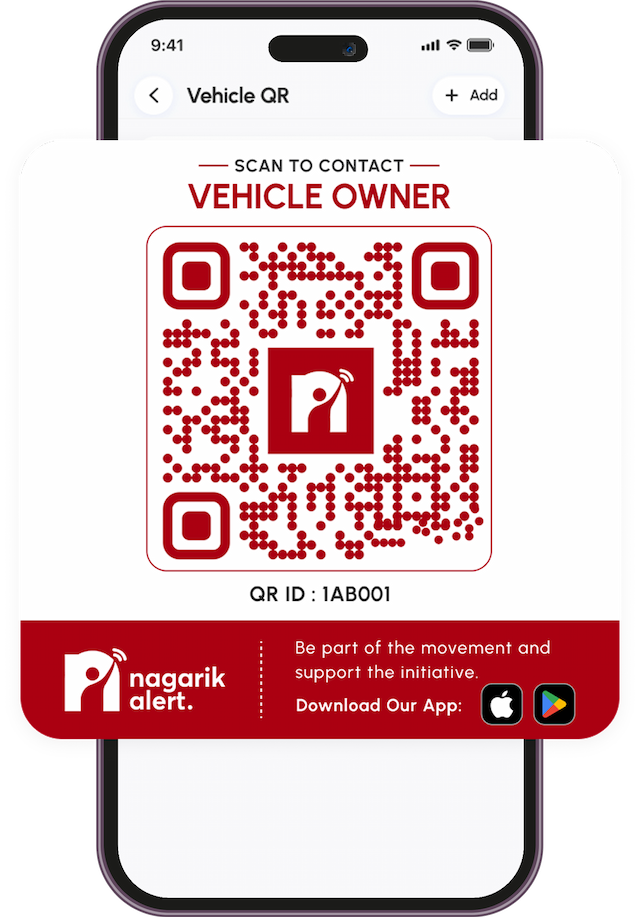
A paper sticker exposes your number to everyone, forever. Vehicle QR does the same job but safely.
Your personal number stays protected.
People can contact you only when they scan the QR.
Enable or disable anytime.
Add or update vehicle details anytime.
View QR scan count.
Manage multiple vehicles from one app.
Real Situations
When Does Vehicle QR help?
Everyday moments where reaching a vehicle owner quickly — and safely — makes all the difference.
Your car is blocking someone in — they scan and reach you instantly.
You’re away from your vehicle — someone scans and lets you know immediately.
A neighbor can notify you about a scratch or bump right away.
In a real emergency, responders can reach you through the QR.
Move your vehicle quickly when it's in someone's way.
HOW IT WORKS
Generate Your Free Vehicle QR
Creating your custom QR code takes just a few seconds inside the Nagarik Alert app.
Step 1
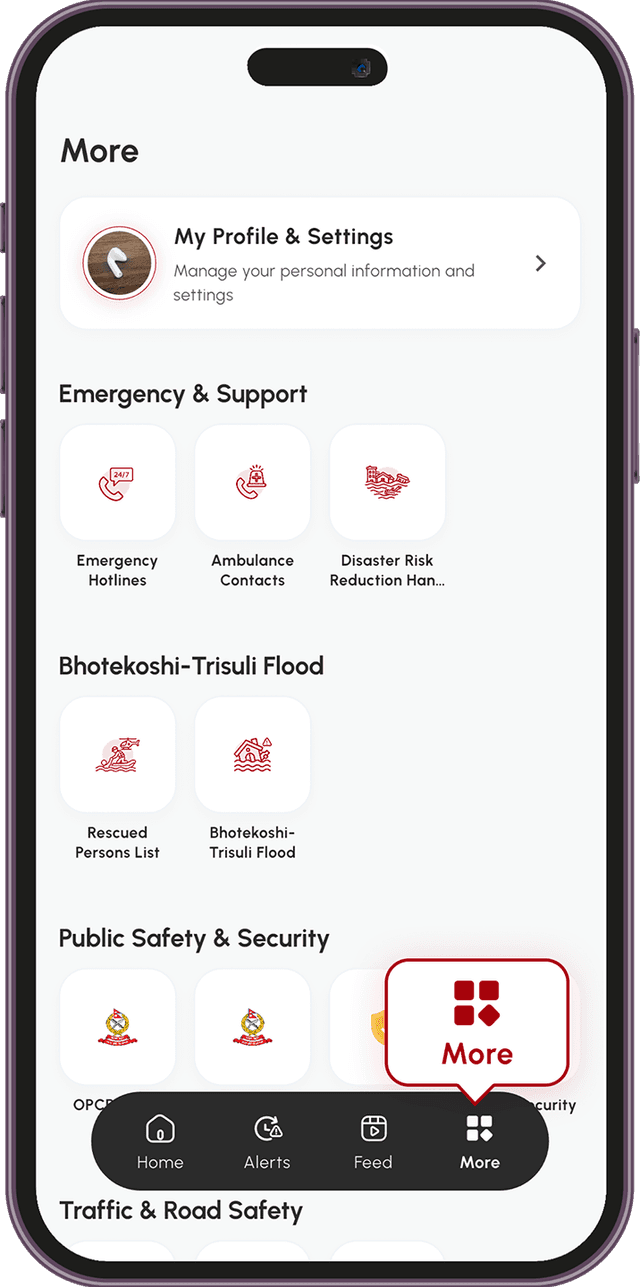
Open the app, tap More in the bottom navigation
Step 2
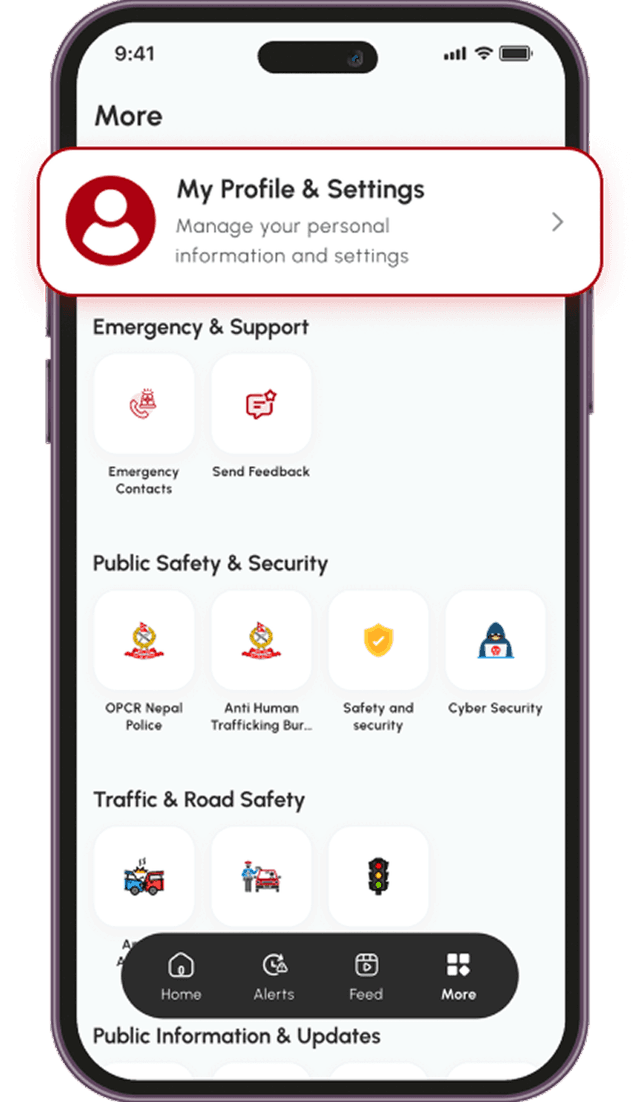
Select My Profile & Settings.
Step 3
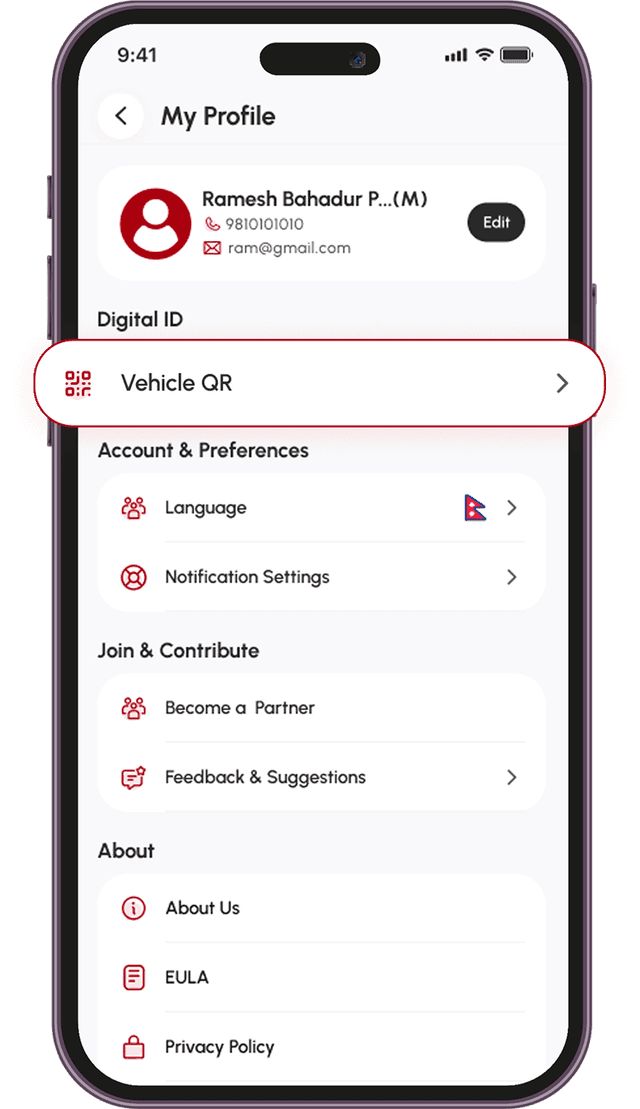
Find the Digital ID section and tap on Vehicle QR.
Step 4
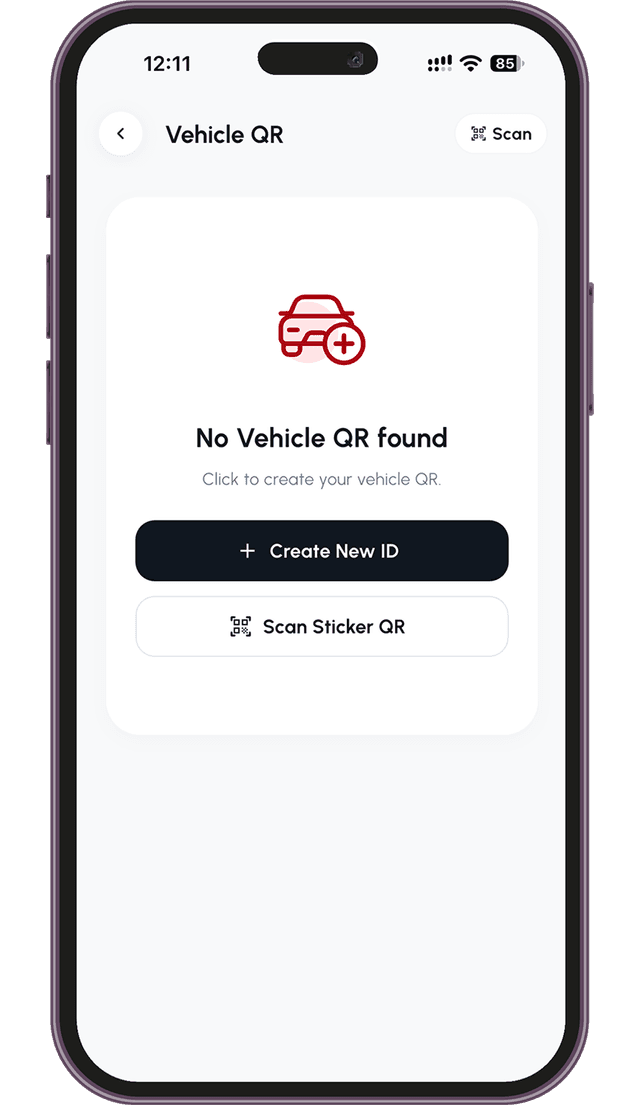
Tap the Add button to open the vehicle registration form.
Step 5
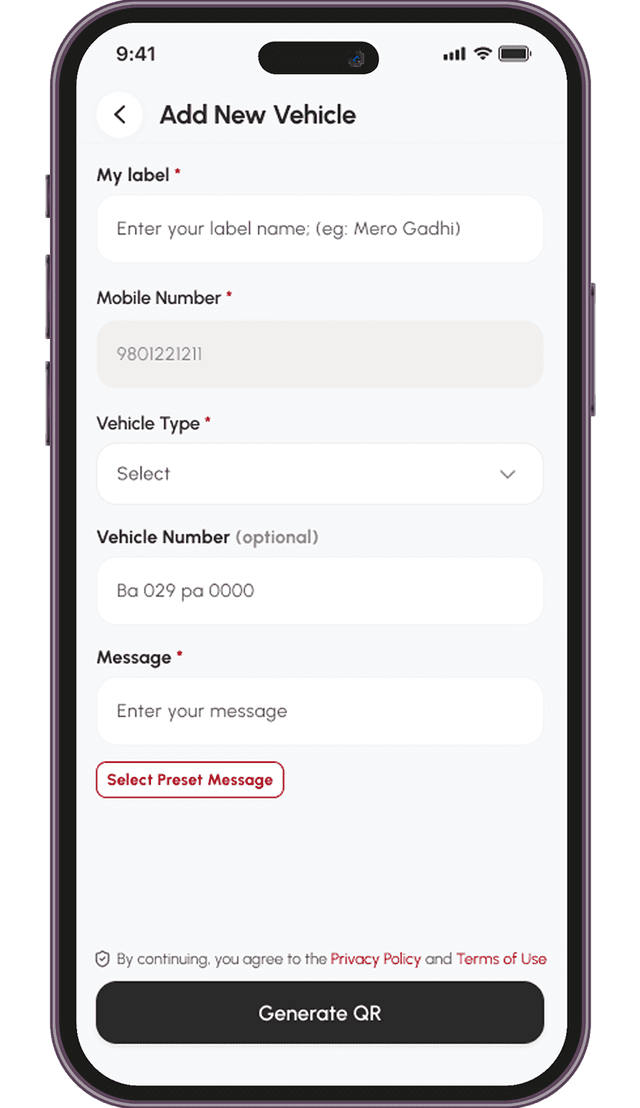
Add a Label, Vehicle Type, Vehicle Number, and a Message.
Step 6
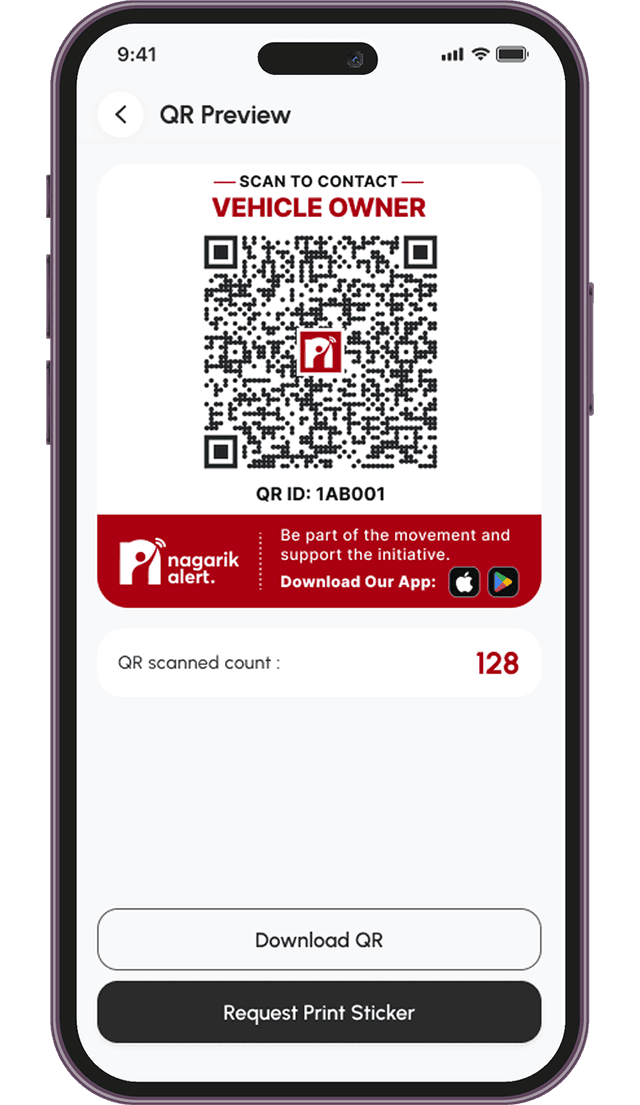
Tap Download QR and print your sticker.
In the app
Manage Everything in the App
Your Vehicle QR comes with complete logs inside Nagarik Alert, giving you full control over your digital ID.
Anyone scanning can call to report an issue.
See how many times your QR was scanned.
Enable or disable your QR's active status with a single tap.
Update, edit, or delete your QR anytime.
Manage multiple vehicles with one number.
Show a custom note or a quick predefined template on scan.
Generate, download and print your QR — completely free.
A smart contact badge for your car, bike, truck or bus.
FAQs
Frequently Asked Questions
Everything you need to know about Vehicle QR
The Vehicle QR acts as a digital contact badge for your vehicle. If your car or bike is blocking a driveway, has a flat tire, or is involved in an incident, any bystander can scan the QR code with their smartphone to immediately give you a call.
You have full control over your privacy. Go to the Vehicle QR section in your app and simply disable the QR code status. When disabled, scanning the physical sticker will no longer trigger a call to your phone.
Yes! The Nagarik Alert app tracks your QR code's activity. You can open the Vehicle QR section to see the exact number of times your code has been scanned.
You can update your details anytime. Just navigate to the Vehicle QR page to edit your message, update the vehicle number, or completely delete the QR code if you no longer own the vehicle.
Yes, generating and managing your Vehicle QR is entirely free right now as an introductory offer. Please note that we may introduce premium tiers or usage charges for this feature in the future, but we will notify users before any changes take place.